Mobile checkout problems are rarely as obvious as a completely broken payment page.
More often, they’re smaller points of friction: a basket that doesn’t update properly on one device, a payment option that behaves differently in a particular browser, an error message that doesn’t explain what went wrong, or a checkout button that becomes difficult to use on a smaller screen.
Everything can look fine in staging and still fall apart when real customers arrive with different phones, browsers, payment methods and behaviours.
For retailers, that makes mobile checkout testing less about asking “does checkout work?” and more about asking “does it work for the customers and conditions we actually need to support?”
What ecommerce testing helps improve mobile checkout?
The most useful ecommerce testing combines several types of QA around the complete journey from basket to payment confirmation.
That can include:
- functional testing to make sure the journey works as expected
- payment testing across relevant payment methods and scenarios
- real-device and browser testing
- exploratory testing to uncover problems scripted tests weren’t looking for
- usability testing to identify friction or confusing behaviour
- regression testing after fixes and releases
The important bit is how those activities come together.
Testing isolated pages or individual functions can show that each component works. It doesn’t necessarily prove that a customer can move smoothly from product page to basket, through checkout and payment, and successfully complete an order.
That end-to-end journey is what retailers ultimately need confidence in.
Where mobile checkout problems tend to hide
Some checkout issues are universal. Others only appear under a particular combination of device, browser, payment method or user behaviour.
Common problems include:
Basket and pricing issues
Products don’t update properly, promotional codes behave unexpectedly or totals change at the wrong point in the journey.
Forms that become difficult on mobile
Address fields, validation messages and keyboards can behave differently depending on the device. Something that feels straightforward on desktop can become surprisingly awkward on a smaller screen.
Payment failures
A payment method may work perfectly in one environment and fail elsewhere. That might be a functional problem, an issue with the handover to a payment provider or simply an experience that gives the customer too little information when something goes wrong.
Device or browser-specific defects
These are particularly easy for internal teams to miss if they’re working with a relatively small device set.
Small UX problems with a big commercial impact
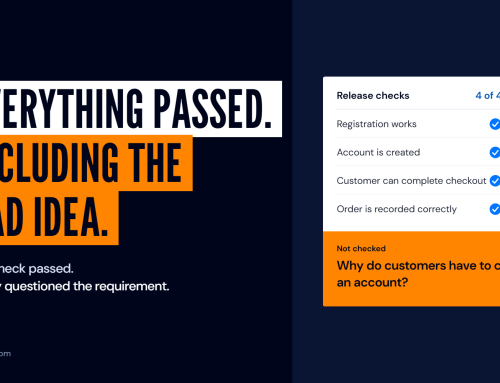
The button technically works, but it’s hard to reach. The error message exists, but doesn’t tell the customer what to do. The journey technically passes QA, but a real customer hesitates or gives up.
That’s why mobile checkout testing needs to look at more than whether a test case technically passes.
Why real-device testing matters
Emulators and internal device labs are useful, but they can only cover so much.
Real customers arrive with a much wider mix of devices, operating systems, browsers, screen sizes, network conditions and behaviours.
Digivante’s live crowdtesting at eCommerce Expo demonstrated just how much can sit outside a typical internal test setup. Each retailer received only two hours of testing, using 100–200 testers per site across more than 200 devices. Testers found an average of 50+ issues per retailer, including basket problems, payment glitches and device-specific defects.
That doesn’t mean every retailer needs hundreds of testers for every release. It does show why broader real-world coverage can reveal problems that a small, predictable internal device set simply never encounters.
The same principle applies to mobile apps, where device compatibility, operating system differences and real-user behaviour can introduce issues that are difficult to reproduce in a limited internal setup. Read our guide to mobile app testing and how to do it well.
Test the journey, not just the checkout page
One of the easiest mistakes is to treat checkout as a single page or function.
From the customer’s perspective, it starts much earlier.
A useful mobile checkout test should consider the journey from product discovery onwards:
Product page → basket → promotions → delivery → address → payment → confirmation.
A problem at any point can stop the sale.
For example, a payment page might be working perfectly while the real conversion problem sits one step earlier: a discount changes the basket total incorrectly, delivery information isn’t clear, or the basket behaves differently on a particular device.
Looking at the complete customer journey makes it much easier to find the actual cause rather than simply testing the final payment step harder.
Payment testing needs real-world context too
Payments add another layer of complexity because customer expectations and available methods vary by market.
Testing needs to consider whether the relevant payment journeys work properly across the devices, browsers, locations and payment methods customers actually use.
That becomes particularly important for retailers operating across multiple markets.
A checkout experience that works in one market isn’t automatically proof that another market has been covered properly.
Digivante’s payment testing uses real users and devices in the required locations so teams can validate payment experiences in the context customers will actually use them.
Prioritise what matters to the release
Finding 50 issues isn’t particularly helpful if your team then has to spend days working out which three actually matter.
This is where the management around testing becomes important.
Findings should be checked, prioritised and presented with enough evidence for the development team to understand what happened and reproduce it.
At Digivante, defects raised through exploratory testing are checked to make sure they are reproducible, non-duplicates and in scope, before verified defects are prioritised by functional impact.
For an ecommerce release, that allows teams to concentrate first on the issues that put important customer journeys, conversion or the release itself at risk.
The objective isn’t to produce the longest possible defect list.
It’s to give the team enough confidence to decide what needs fixing before release and what can reasonably wait.
When should retailers test mobile checkout?
There isn’t one single point where checkout testing belongs.
There are several moments when broader validation becomes particularly useful.
Before a major release or replatform
This is where the commercial risk is highest. Key journeys need validating beyond the environments and devices used during development.
When changing checkout or payments
Adding a new payment option, changing a payment provider or altering the checkout flow introduces new paths that need validating end to end.
Ahead of peak trading
Problems that are manageable on an ordinary trading day become much more expensive when traffic and transaction volumes rise.
After fixes
Changes intended to solve one checkout issue can introduce another. Regression testing helps make sure the fix holds across the journeys and environments that matter.
As part of ongoing QA
Devices, browsers and customer journeys keep changing. Checkout quality isn’t something retailers can validate once and assume will remain static.
What should retailers look for in a mobile checkout testing partner?
Extra test coverage is useful. But coverage alone doesn’t tell you whether the service will make life easier for your internal team.
It’s worth asking:
- Can they test on the devices, browsers and markets your customers actually use?
- Can they validate relevant checkout and payment journeys?
- Do they understand ecommerce rather than generic software testing alone?
- How quickly can they mobilise around a release?
- Are findings verified before they reach your team?
- Will issues be prioritised according to impact?
- Can they retest fixes without creating another lengthy project?
- Who actually takes responsibility for managing the testing?
That final question matters.
When a release is already putting pressure on an ecommerce, product or QA team, adding hundreds of raw findings isn’t much help.
The value comes from adding coverage and taking some ownership of the testing work around it.
What can better checkout testing actually change?
Finding checkout friction matters because these are customers who have already made it a long way through the buying journey.
In one Digivante exploratory testing engagement for Figleaves, mobile conversion increased by 12% following the work, with Android mobile conversion increasing by 17%.
That doesn’t mean testing produces the same conversion uplift for every retailer.
It does show why this part of the customer journey deserves attention. Sometimes the opportunity isn’t generating more traffic. It’s finding what is stopping the customers you already have from completing what they came to do.
Mobile checkout testing with Digivante
Digivante helps ecommerce teams test critical customer journeys across real devices, browsers, users and markets.
We combine QA expertise with real-world testing to uncover functional defects, payment problems and customer friction before they affect a wider audience.
Whether you’re preparing for a major release, changing your checkout, heading into peak trading or simply want a clearer view of where customers are struggling, we can build testing around the journeys and risks that matter most.
Find out more about our ecommerce testing services:
https://www.digivante.com/services/testing-capabilities/ecommerce-testing-services/
Or talk to us about your next release:
https://www.digivante.com/contact-us/